
Band alarms allow the analyst to set alarms on specific frequency ranges. It is now possible to create and configure Band alarms natively in Enlight. Please note that it is only possible to create and configure band alarms on measurements that are not imported.
You can create a Band Alarm by pressing the link found in the Band alarms tab in the spectrum chart.

A modal is then presented where Band Alarms can be added and configured.
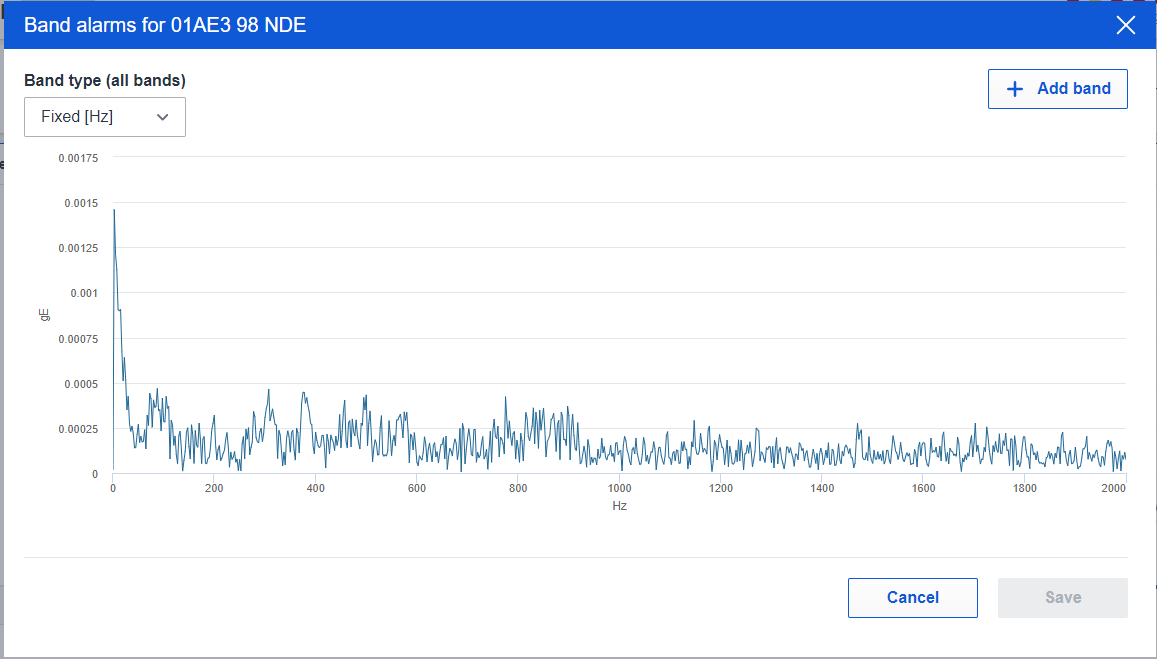
By pressing the button + Add band, you can add a new band alarm to your spectrum.
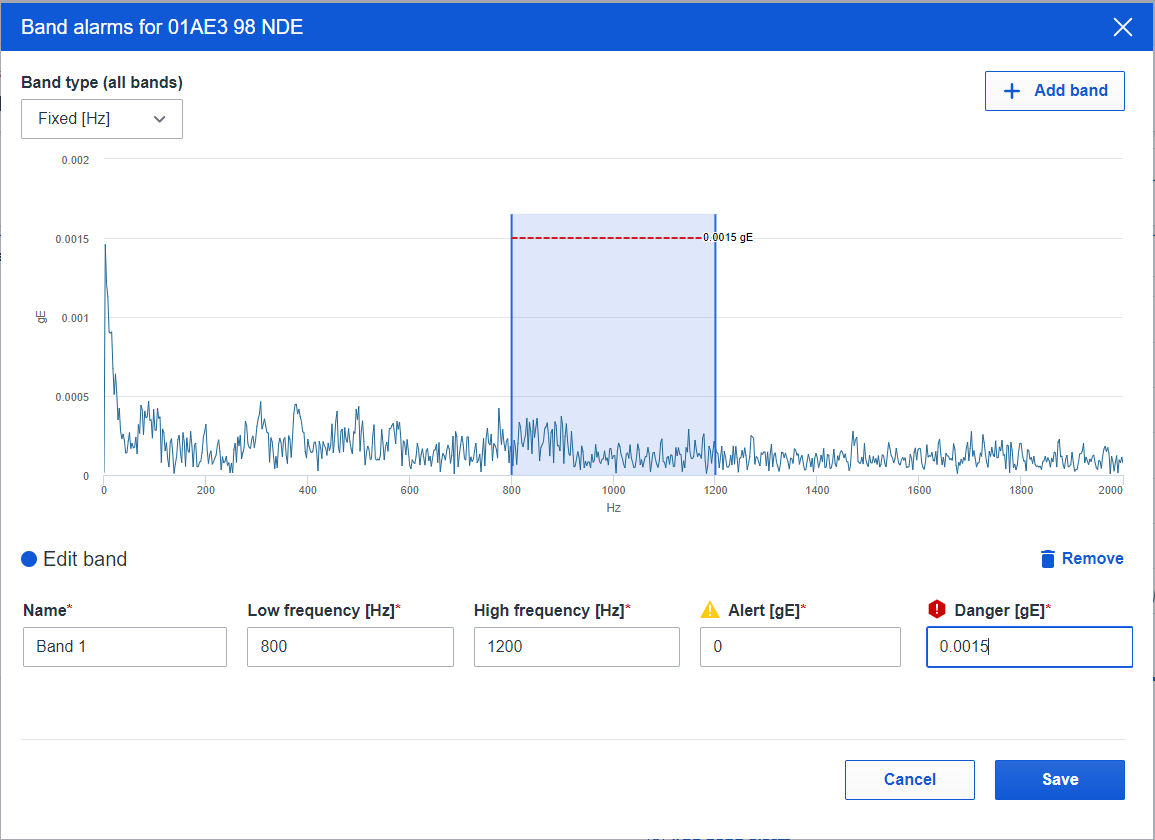
When adding your band, you can give it a name and set which frequency the band should cover (low and high frequency). You can also set the alert and danger threshold for the band.
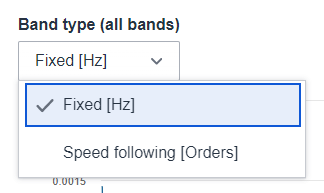
You can change the band type (for all the bands on the chosen spectrum), and switch between Hz and Orders.
Before you exit the modal you can save your band by pressing the Save button.
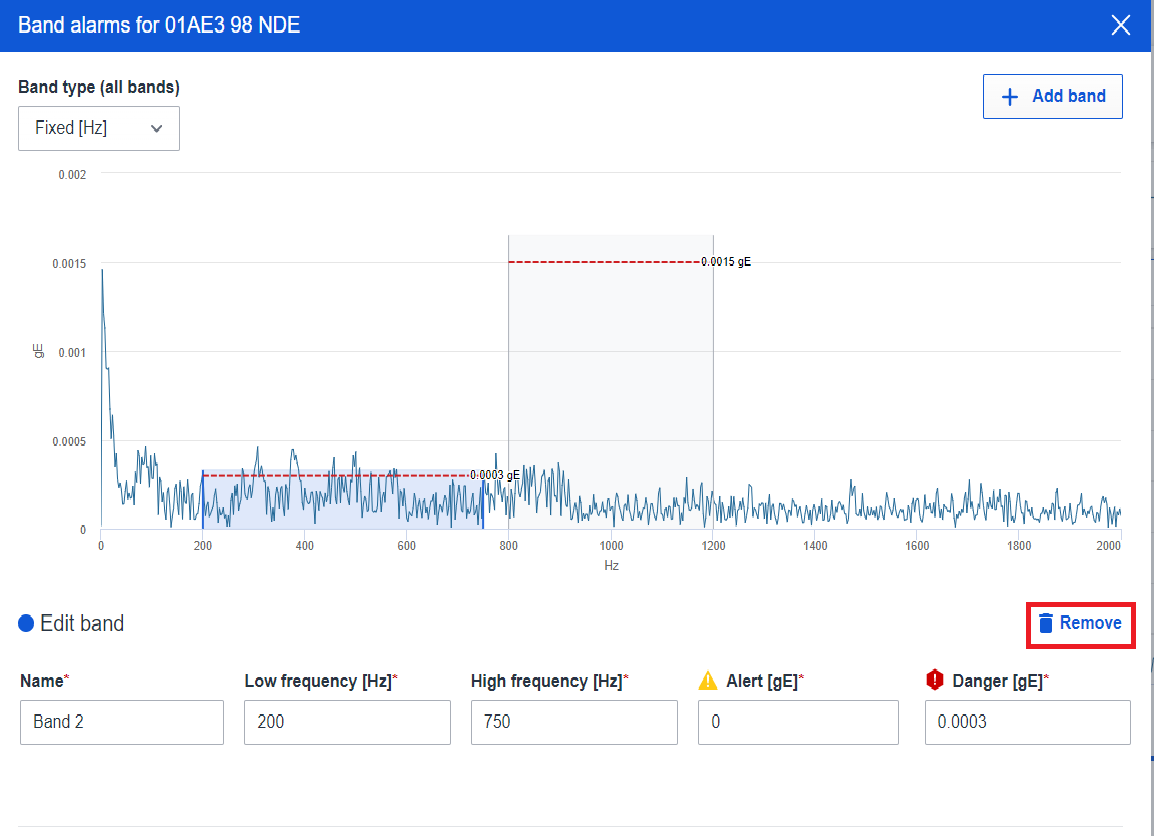
If you want to remove a band, you can easily delete it by highlighting the band you want to delete and then pressing the bin button marked in the picture below.
Comments
0 comments
Please sign in to leave a comment.