
Go to Route section in Enlight and navigate to the level of interest.
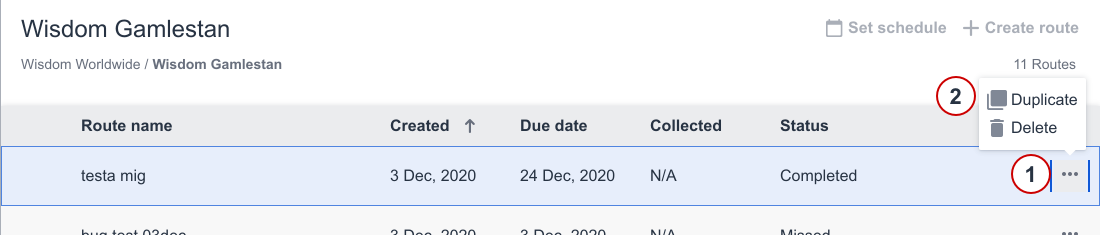
- Find the route you want to duplicate.
- Click on the more menu ("...").
- Select Duplicate option.
A duplicate route has now been created. Be sure to make the changes to fit the new route.
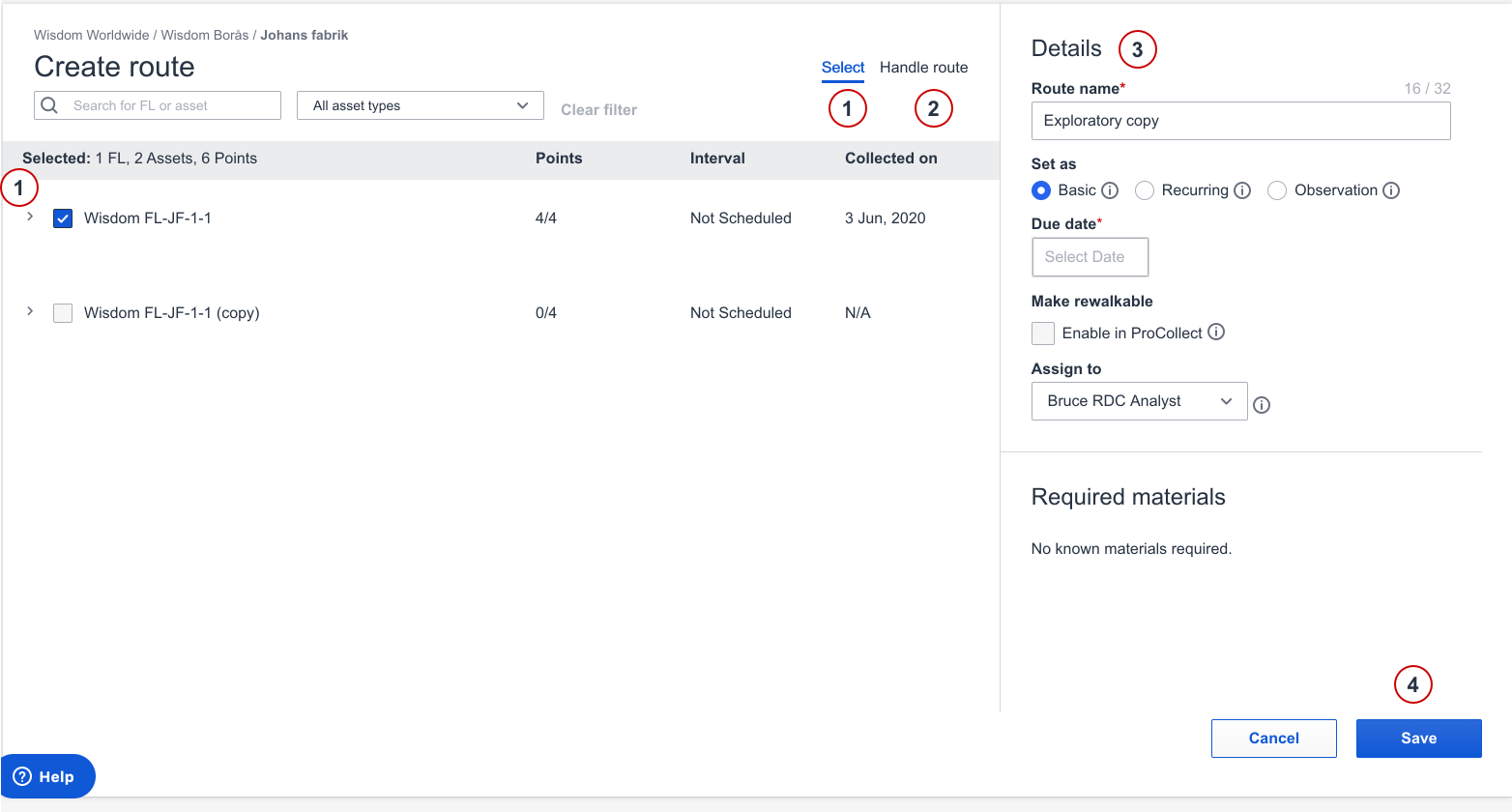
- Edit selection of Functional locations, assets and points if wanted.
- Edit the order of functional locations in Handle route if wanted.
- Edit Route details if wanted.
- Save route.
Comments
0 comments
Please sign in to leave a comment.