
The option Set Schedule enables the user to set how often data should be collected from a specified Functional Location.
The following options for the scheduled intervals are available:
- Mixed
- Daily
- Weekly
- Bi-weekly
- Monthly (30 days)
- 6 weeks
- 2 months
- 3 months
- 4 months
- 6 months
- Press Set Schedule, to set the time period for when data should be collected on a specified Functional Location, Asset or Point.
- Select Interval from the drop down list for each desired asset.
- Press Save to save or Cancel to cancel the operation.
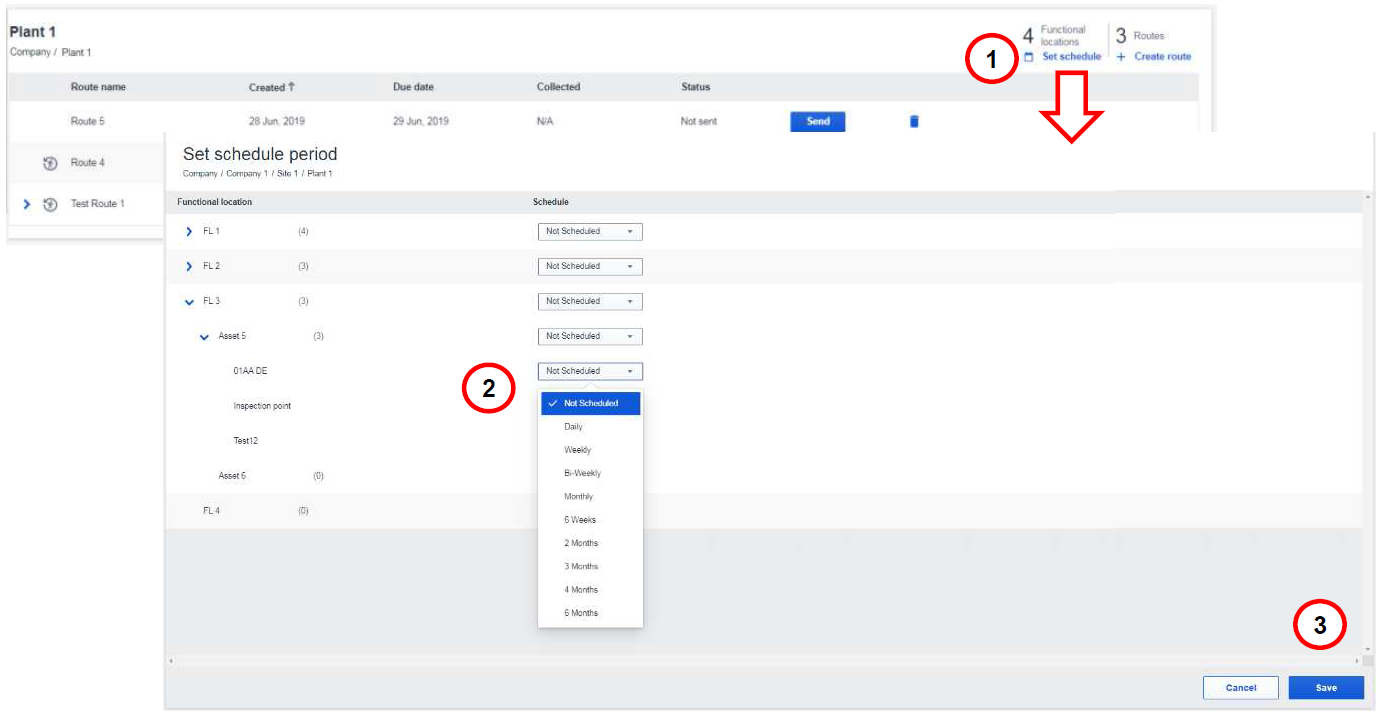
Set schedule period
Comments
0 comments
Article is closed for comments.