
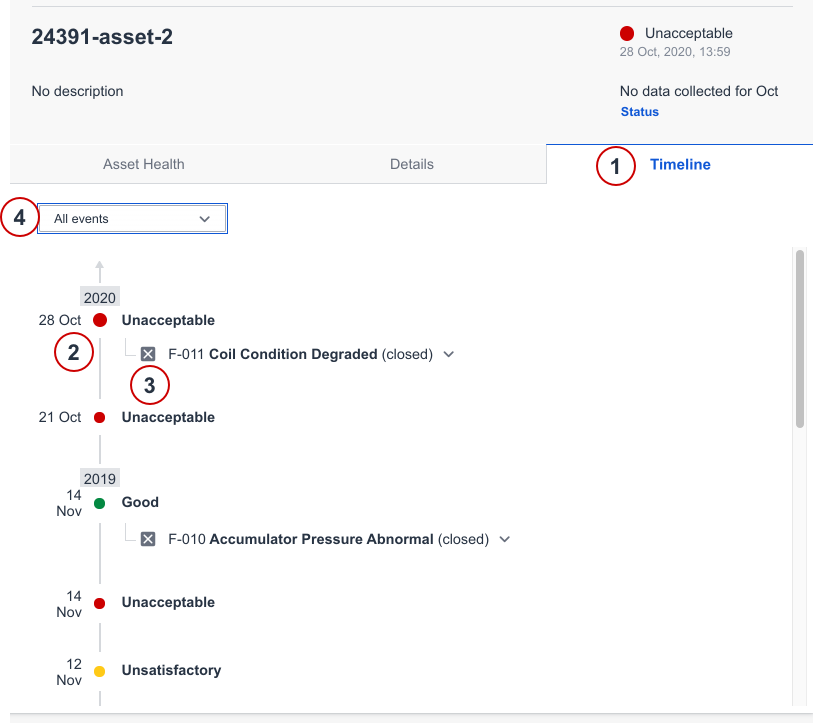
Timeline is replacing the History tab. Timeline show asset health status related to closed faults. It gives a good overview of the status of the asset over time.
Navigate to Reports and select an asset.
- Click on Timeline tab.
- A timeline will show asset status change in chronological order.
- Click on closed fault to view all details about the closed fault.
- Filter on all events, asset status or fault activity.
Comments
0 comments
Please sign in to leave a comment.