
The Detailed asset health report can be generated as a PDF file from either preview mode or list view mode.
The assets included in this report are selected manually, before generating the PDF:
- Select wanted level in the hierarchy tree.
- Use filters to narrow down the scope.
- Click on Create PDF to activate the selection mode.
- Select the assets to include in the report by checking the boxes.
- Alternatively, select all assets using the checkbox on top of the list.
- The total number of selection is displayed here (maximum 200 assets).
- Toggle to show only selected assets
- Clear the list by clicking clear selection.
- Click Generate PDF, to generate a report. A large selection might take longer time to generate.
- Exit PDF mode by clicking on the cross.
- You will receive an email when the report has been generated.
- Click on Download PDF to save the file to your computer.
Note: The link is active for a month. - If you have any problems contact the Enlight Centre support.
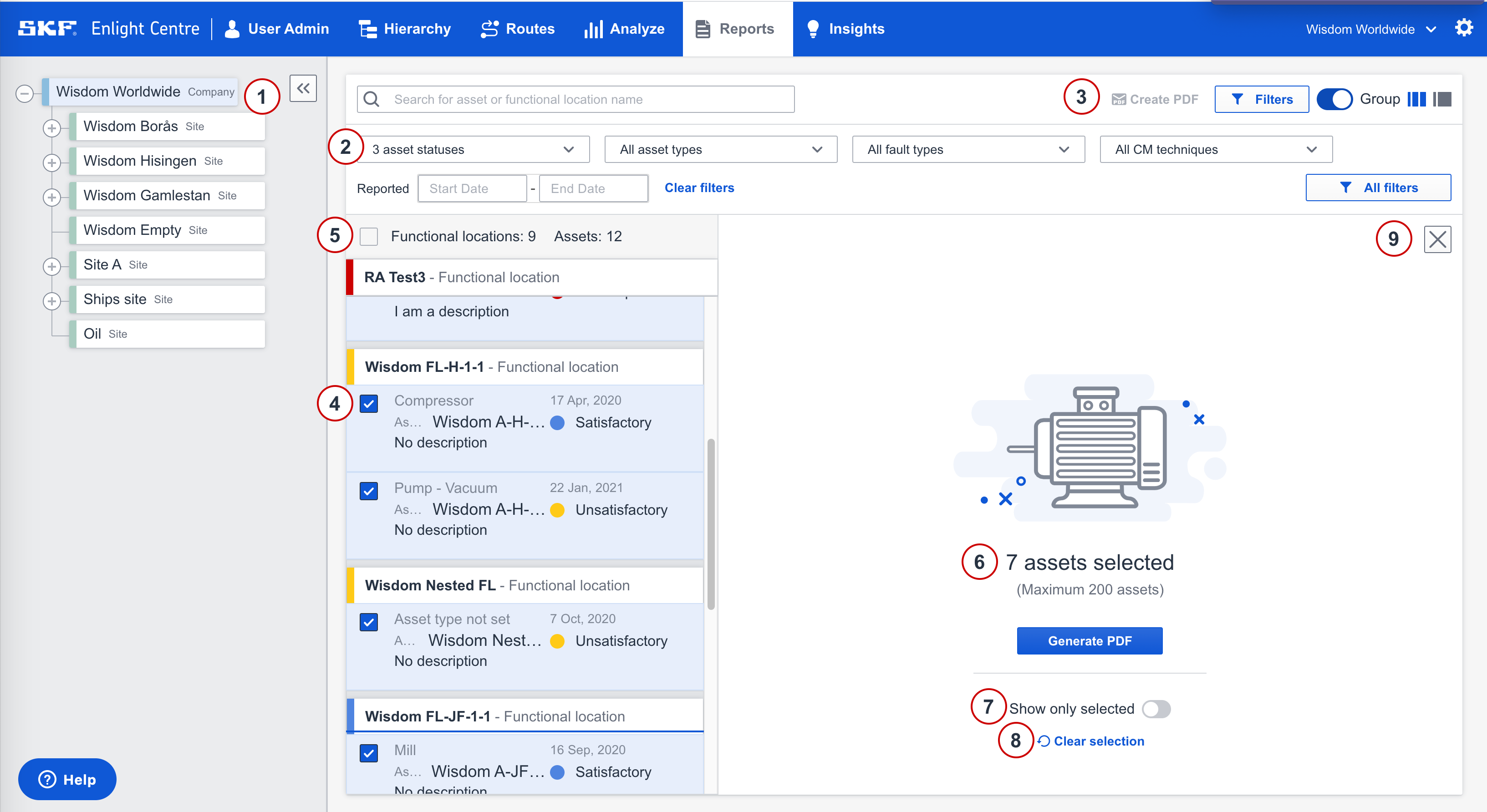
Create PDF report
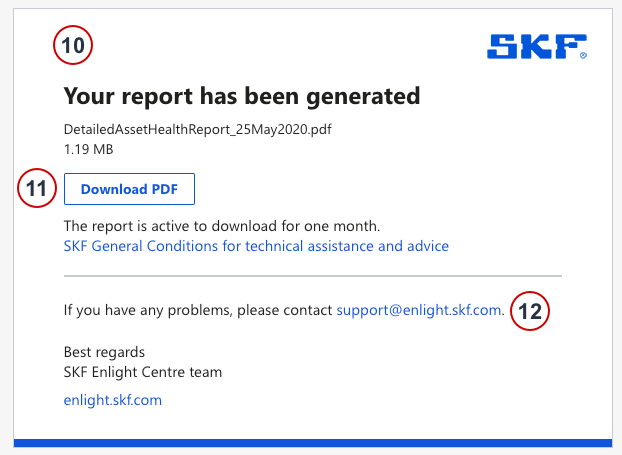
Email sent to your address
Comments
0 comments
Please sign in to leave a comment.