
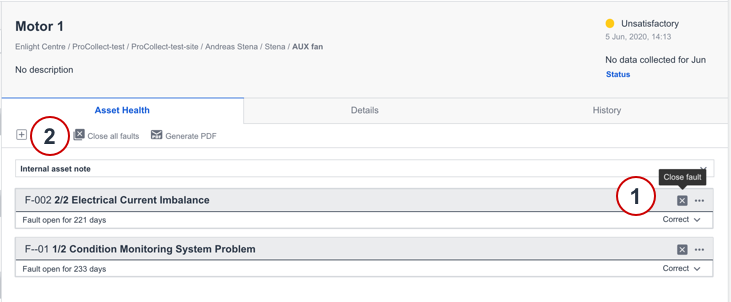
There are two methods available when closing a fault, either on the fault section itself or through the toolbar for the asset.
- Select Close fault on fault level.
- Alternatively, select Close all faults from the toolbar.
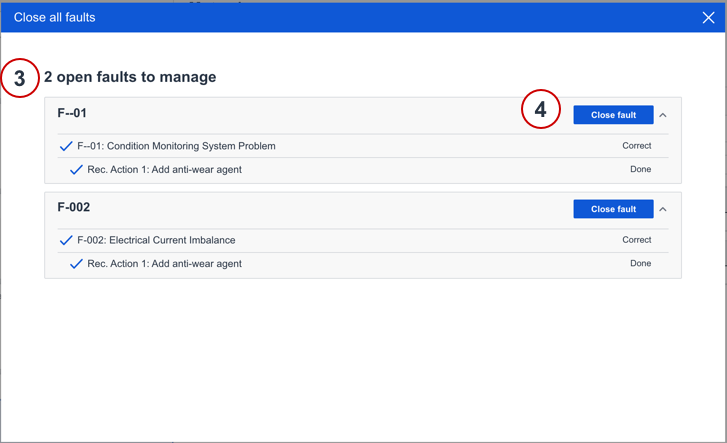
- If you clicked on Close all faults, a modal will appear displaying all faults in the asset.
- If all feedback has been given, press the Close fault button.
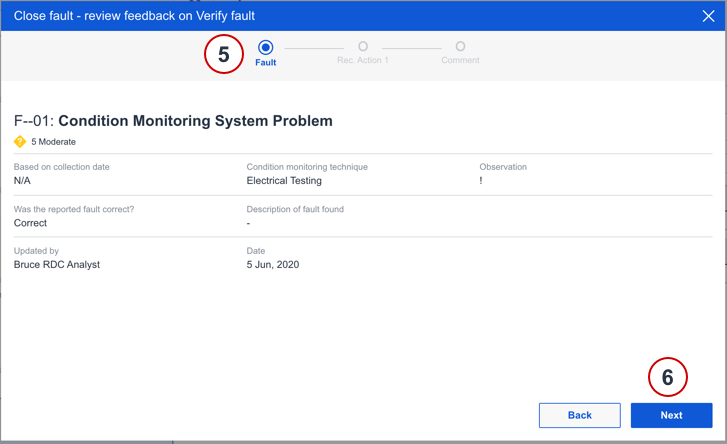
- The close flow is displayed and provides an overview of the steps required to close the fault.
- Click Next to read through the feedback and add a closing comment in the end.
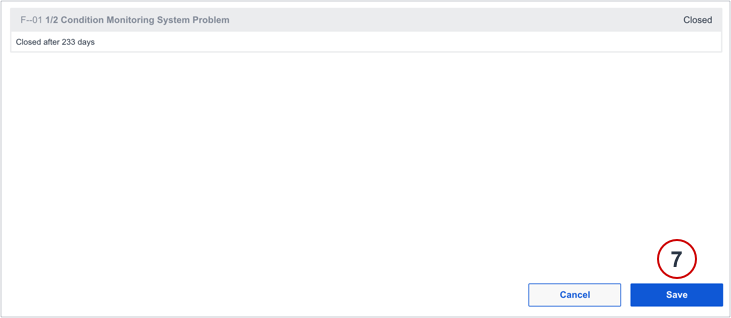
- Click Save to save your update.
The closed fault is then visible in the History tab, where all information related to the fault is accessible.
Comments
0 comments
Please sign in to leave a comment.