
Add a new fault entry for an Asset by selecting the +Add fault option in the Asset health workspace.
- Press +Add fault button to add new fault.
- Collection date is displaying the last date of collection that the report should be based on.
- Select the Condition monitoring technique used for this fault.
- Select the Fault type to report.
- Choose the severity of the fault.
Note: View the fault severity level description below. - Optionally, add comments about the fault in the Observation field.
- Select a recommended action from the pre-defined list, the actions displayed on top are suggestions based on the selected type of fault.
- Recommended due date, this date will be automatically calculated based on severity of the fault. However, this date can also be changed manually.
- Optionally, add a comment for the recommended action in the Additional comment field.
- Optionally, press Add rec action button to add additional actions, if required.
- Save the report by pressing the Save button. The report is then visible to all users with access to selected hierarchy.
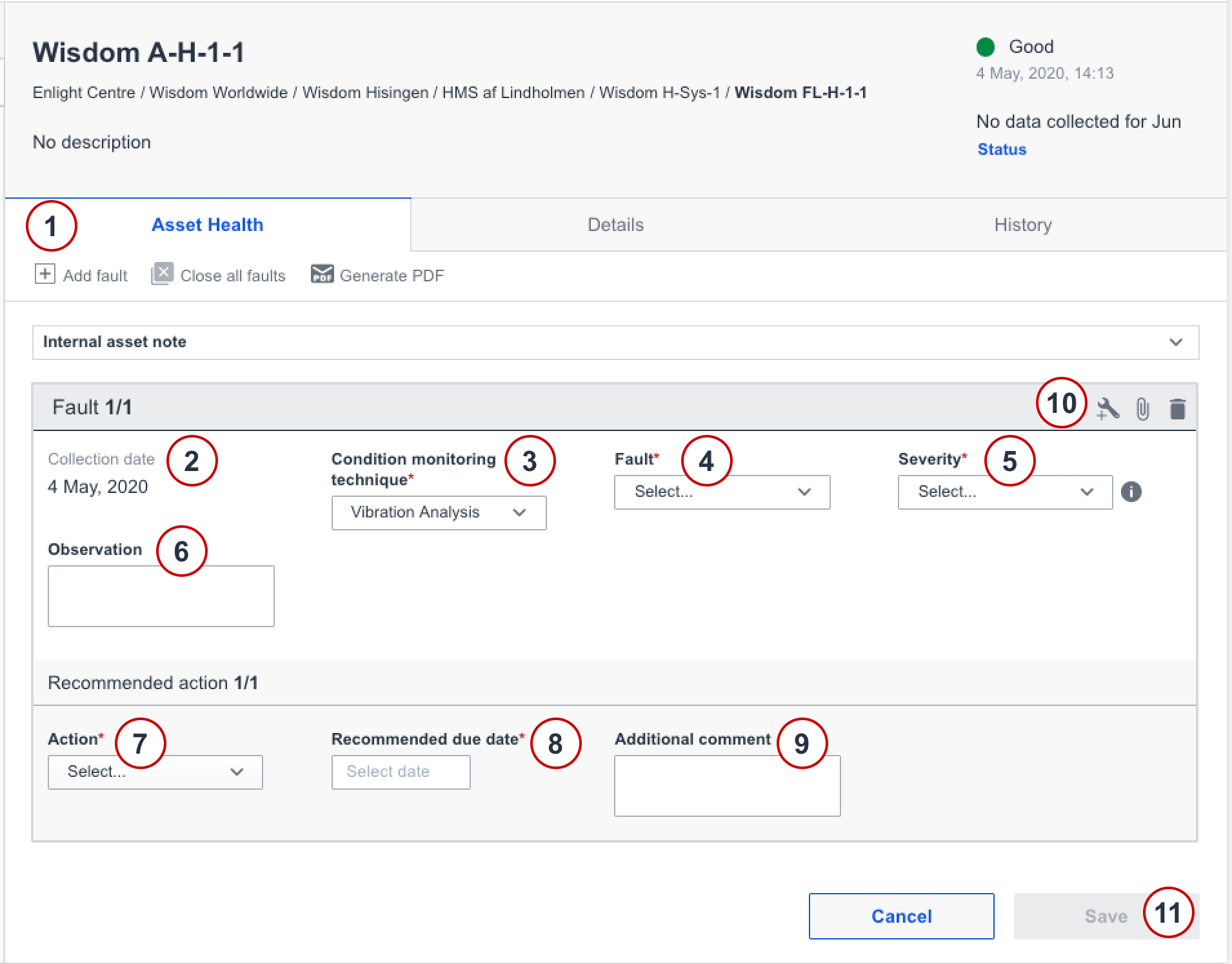
Register a new fault
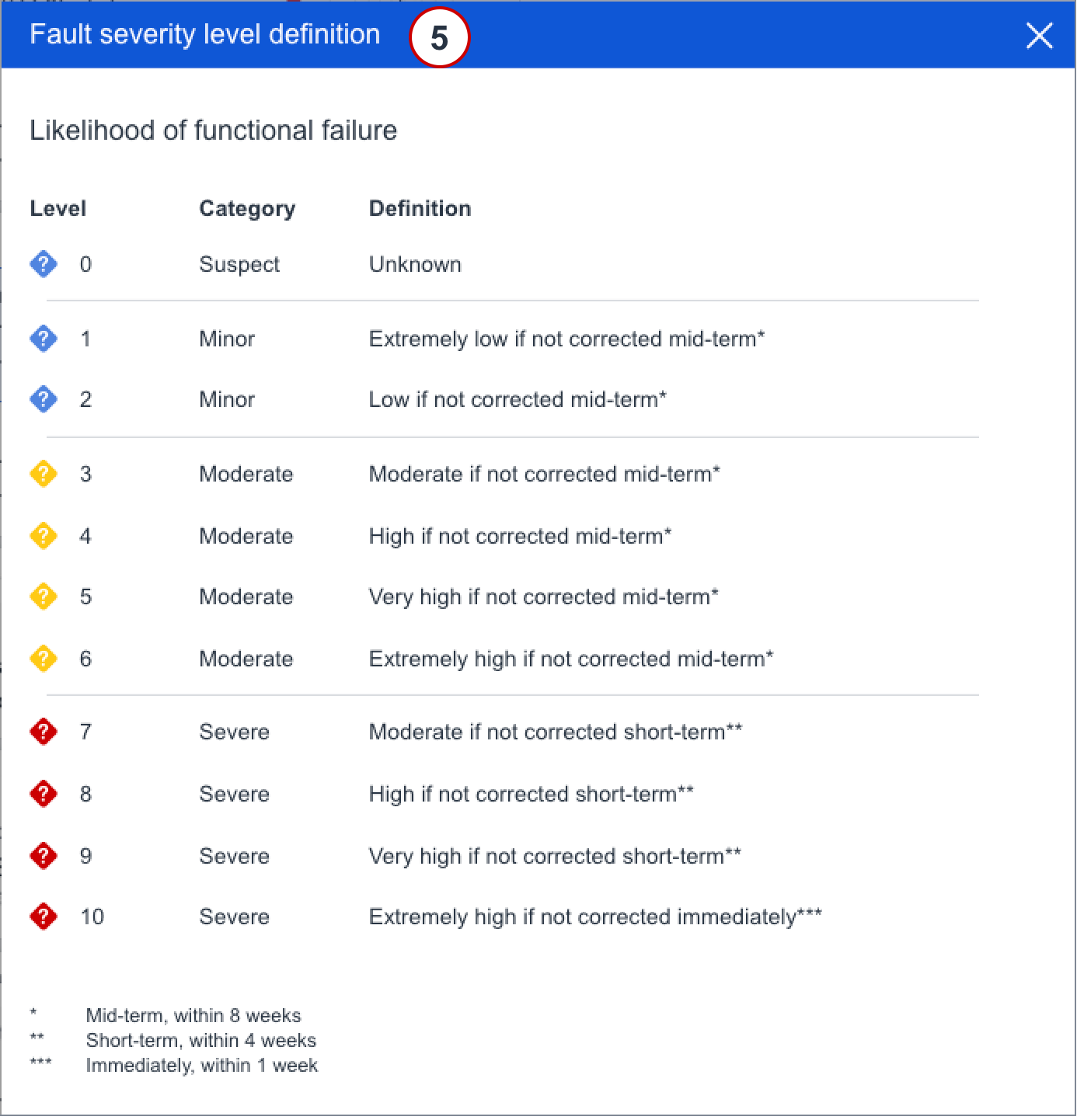
Fault severity level definition
Comments
0 comments
Article is closed for comments.