
In hierarchies, Measurement points and QuickCollect points can be configured specifically with the use of a QuickCollect sensor.
Additionally, when using the QuickCollect sensor model CMDT 391 on applicable points, the use of an extension sensor can be configured. Temperature alarms are disabled if the external sensor is configured for the Measurement point.
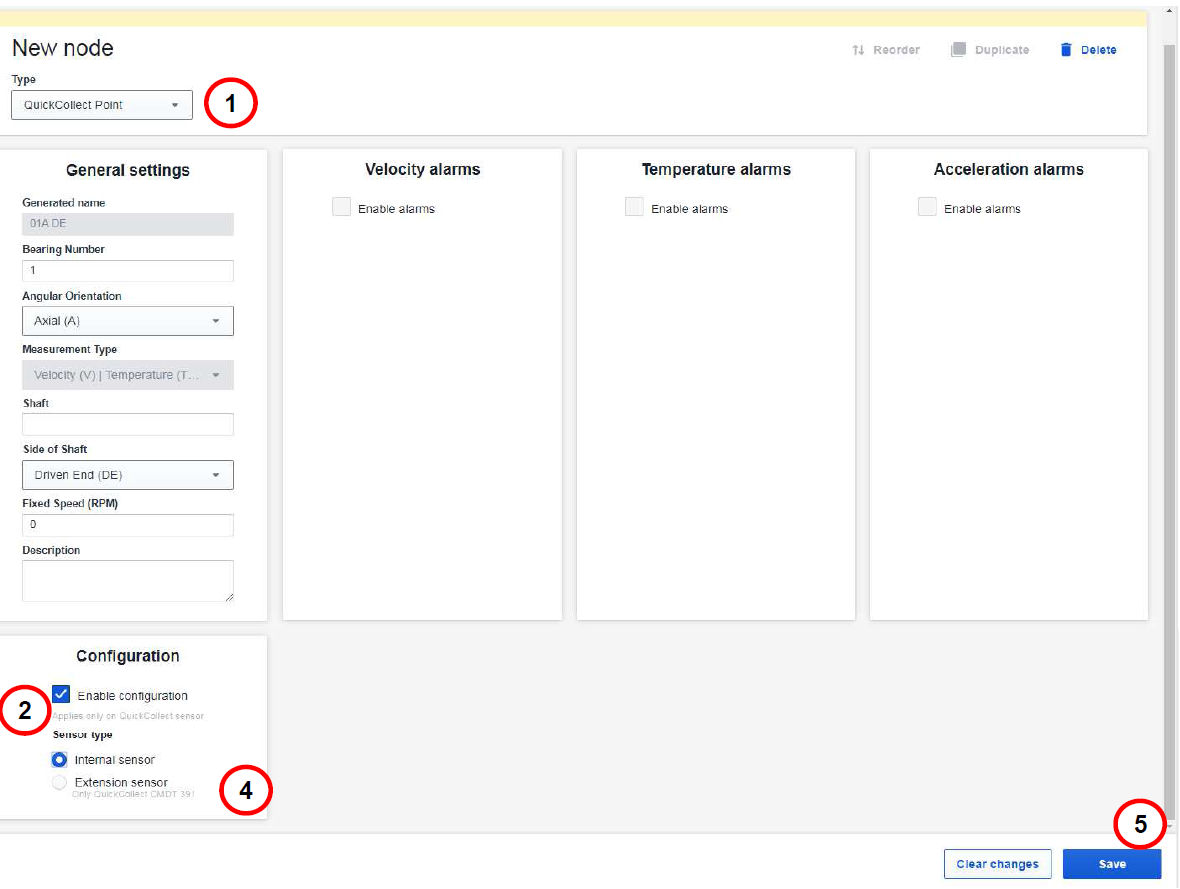
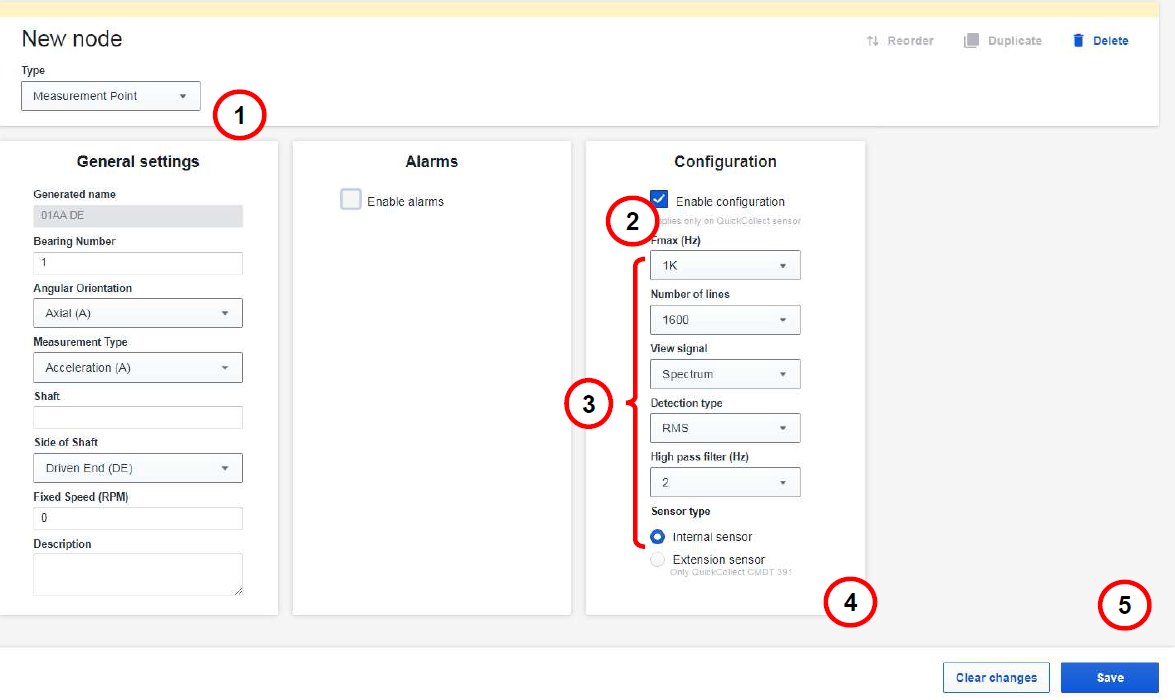
Measurement point configuration without extension sensor
- Add a node to an Asset and select QuickCollect point or Measurement point in the drop-down list.
- Select Enable configuration. (This only applies on QuickCollect sensor)
- For Measurement points, select the desired configuration in the drop-down lists.
- Select Sensor type: either Internal sensor or Extension sensor.
Note: Extension sensor is only applicable when using QuickCollect sensor model CMDT 391. - Press Save.
Measurement points with enabled configuration for QuickCollect sensor have additional settings that can be configured. These settings include: Fmax (Hz), Number of lines, View signal, Detection signal and High pass filter.
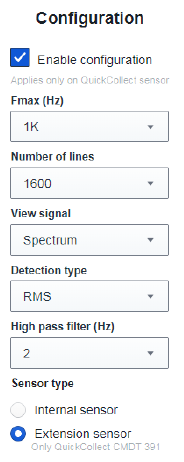
Measurement point with enabled configuration for QuickCollect Sensor
Comments
0 comments
Article is closed for comments.