
In hierarchies, three different types of Inspection points can be created:
- Numerical
- Single-Choice questions
- Multi-Choice questions
It is possible to configure the visualization type for inspection points with circular or level gauges for the ProCollect App. The graphical gauges are used when collecting machine data for the inspection point and will indicate any configured alarm thresholds.
- Add a node to an Asset and select Inspection point in the drop-down list.
- Add a name of the Inspection point.
- Select Type of Inspection Value in the drop-down list.
- Select a Visualization type in the drop-down list.
- For numeric inspection values, add desired Min. value, Max. value and Unit of measurement. For Single choice question and Multiple-choice question, add one or multiple desired Answers.
- Press Save.
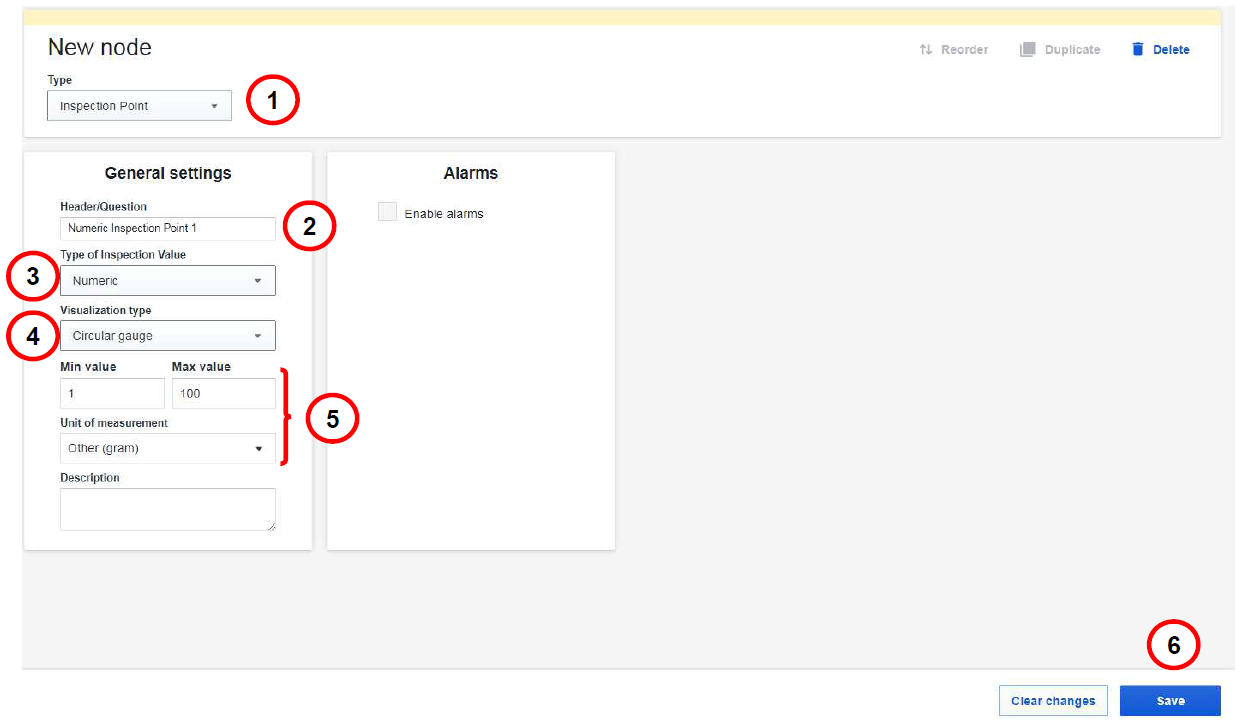
Numerical inspection point with graphical gauges
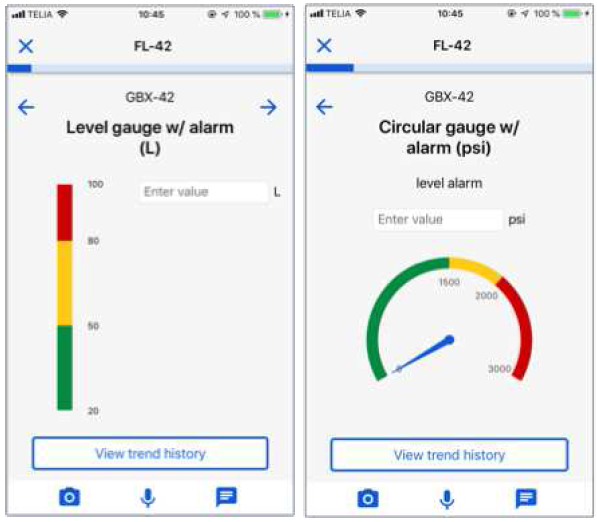
Level and Circular gauges in the ProCollect App
Comments
0 comments
Article is closed for comments.