
Enlight Centre
New and improved features released on 2020-08-19. Note that there won't be a new version of ProCollect as part of this release.
Release highlights
- When navigating between different tiles in Enlight Centre, the selected position in the hierarchy tree is remembered.
- New login page.
Additional contents per functional area
Hierarchy management
-
Copy/paste in hierarchies. This enables the user to copy a level and paste it somewhere else in the hierarchy tree.
Routes
- Assign routes to any ProCollect user that has access to selected plant.
Analyze
- A column displaying the reasons for an asset to be analyzed has been introduced in the smart list, see Figure 1 below.
- Streamline detection has been enhanced. Note that Streamline detection is a BETA feature at this stage and it is only available for selected development partners.
- Notes have been introduced. If there is a note on an asset, it will be triggered for analysis.
- A manual analysis flag is availible in the details page to exclude an asset from the Streamline flow.
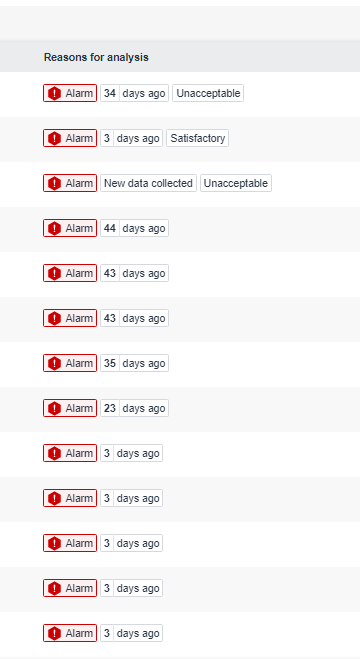
Figure 1. Reasons for analysis column
Reports
- Condition Monitoring Technique filter added.
- Validate status before Set as Good. A validation dialog will appear when user closes the last fault/s on an asset and clicks Save. The user is asked whether to set the asset status to Good or to add another fault.
- Improved responsiveness on Asset details page
Insights
- Collection status dashboard. The user will now be able to view collection status on assets,
see Figure 2. - Insights is released as a technology preview with a call to new and old users to share their feedback on this functionality via the Help button.
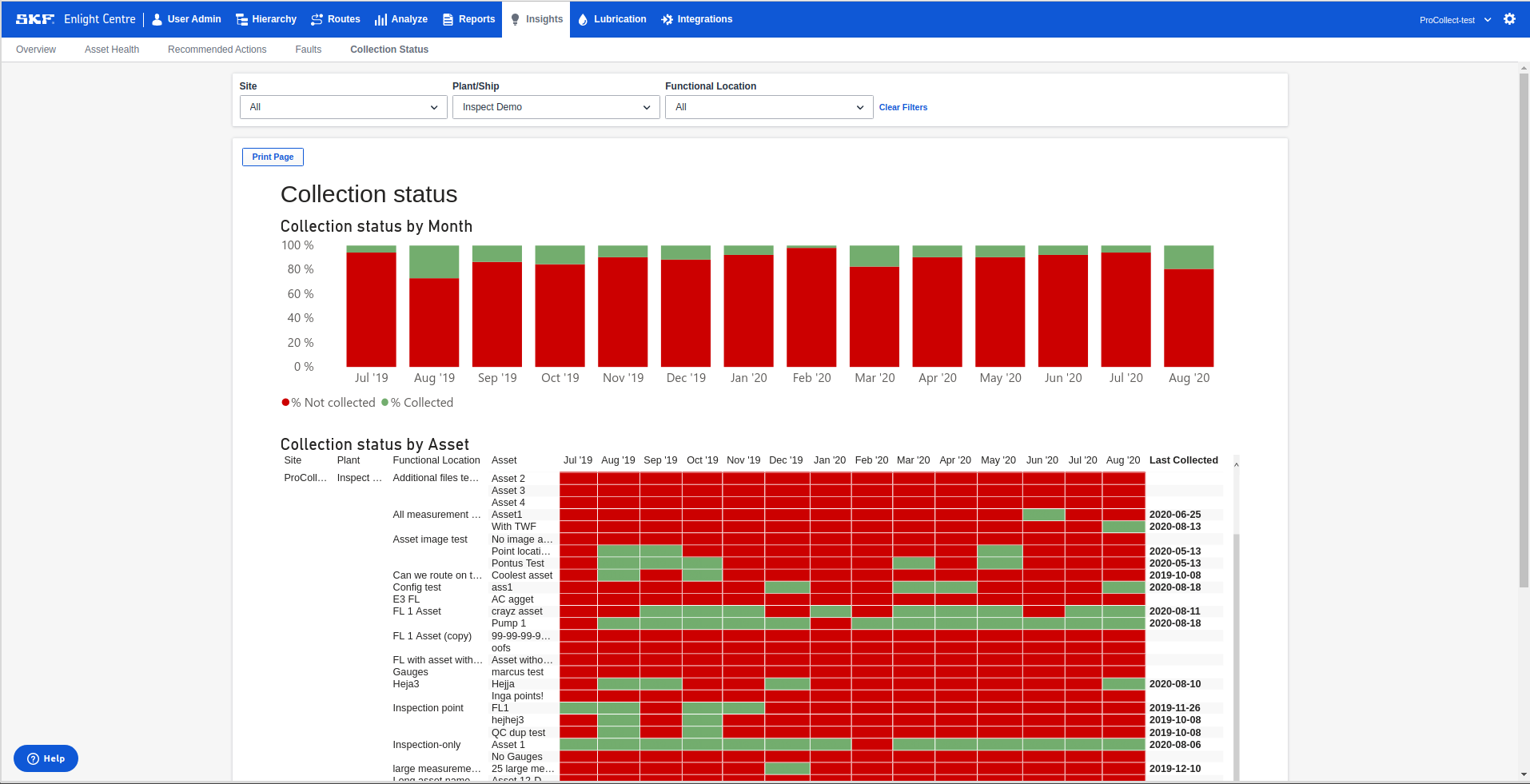
Figure 2. Collection Status Dashboard
Comments
0 comments
Please sign in to leave a comment.