
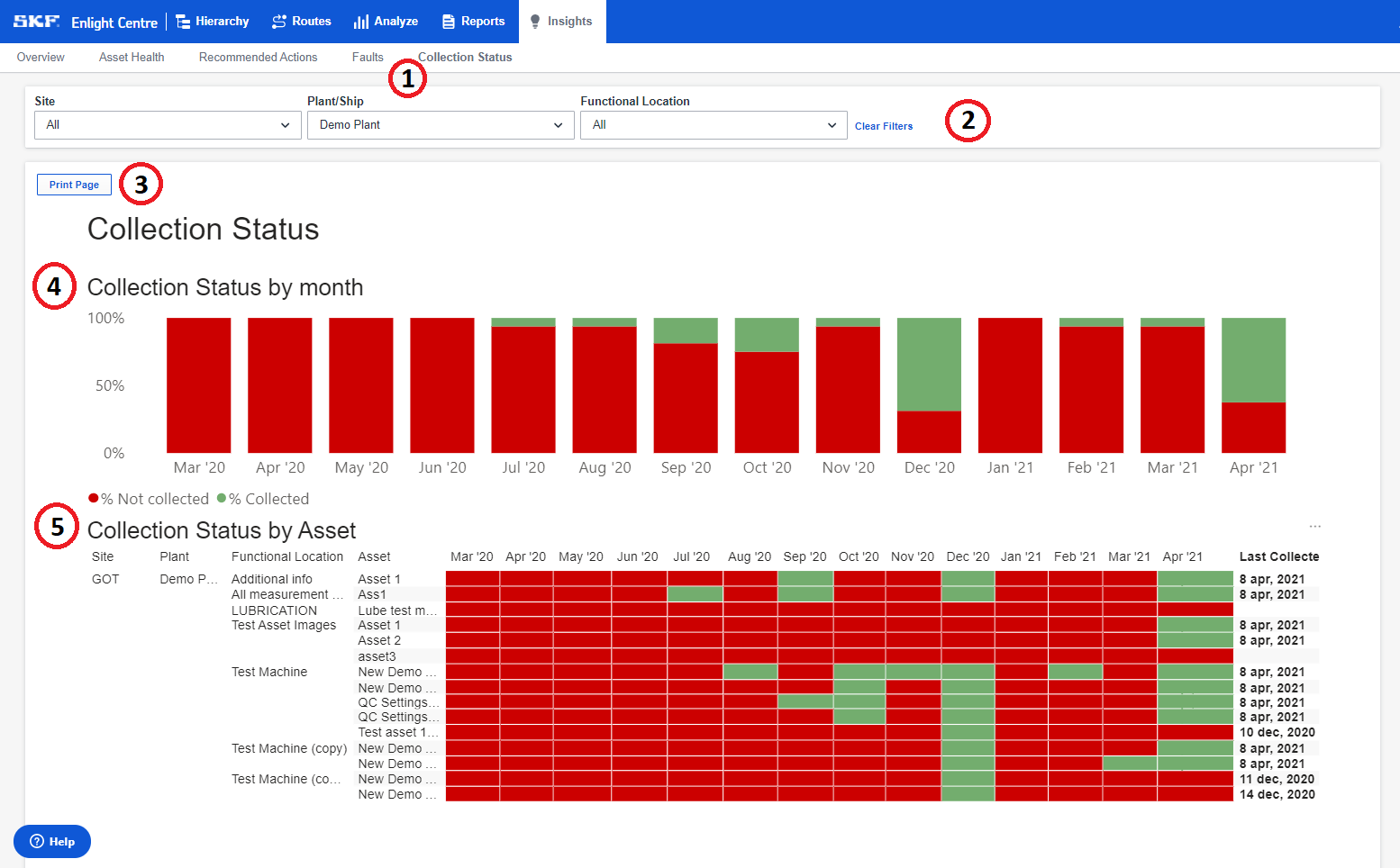
Collection Status provides information on measurements collection. Assets with one or more collections are categorized in green, and assets without a collection in red.
Definition of a collection: a measurement with the content type "data_point" or "question_answers".
- Select Collection Status in the Insights panel.
- Filter by Sites, Plants/Ships and Functional locations to show desired view.
Alternatively, press Clear filters to remove all applied filters. - Press Print Page to print the current view.
- Collection status by Month shows the percentage of the total number of assets that have data collected for a given month. Clicking the bars or x-axis will filter the table on that month.
- Collection status by Asset shows whether an asset has data collected for that month. Last Collected shows the most recent collection date for an asset. Clicking the labels in the hierarchy will filter the bar chart on the selected level.
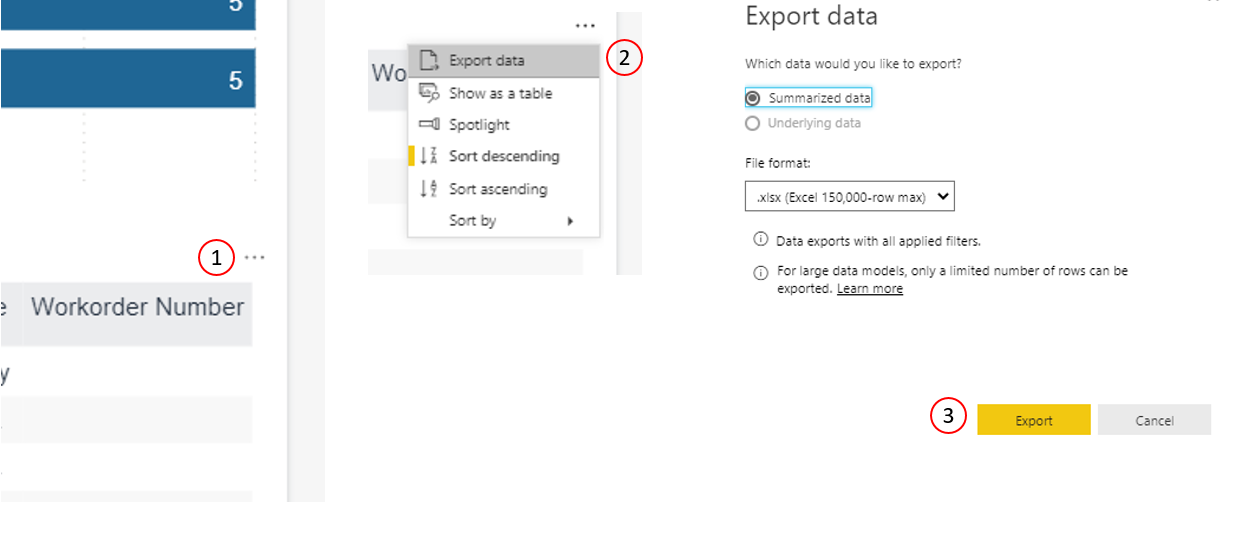
It is possible to export the content of the table to Excel- or CSV-format.
- Hover with the mouse over the table to display the three small dots in the top right corner of the table.
- Click the three dots to will bring up a list of actions. Click export.
- Choose file format and click Export.
Comments
0 comments
Please sign in to leave a comment.