
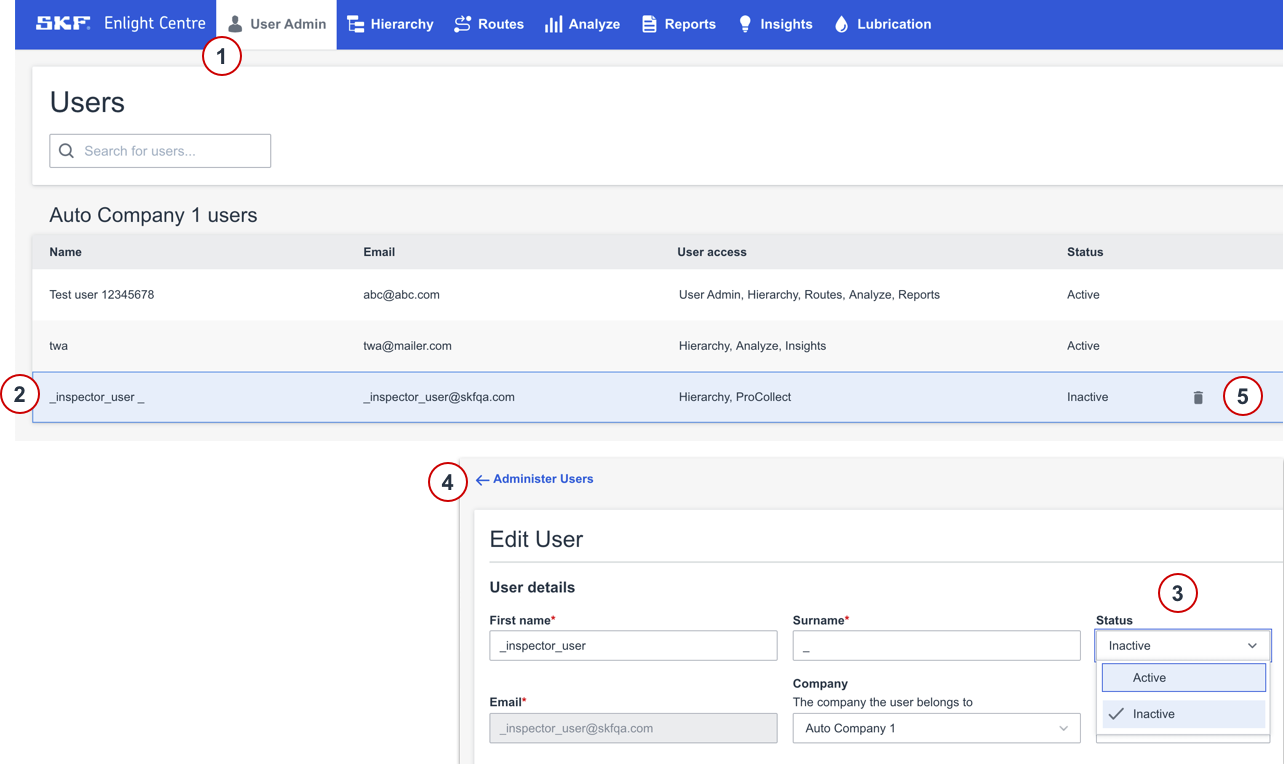
The User Administrator panel is only accessible to the User Administrator. In the User Administrator panel a user can be deleted by setting its status to Inactive.
- Select the User Administrator panel in the main menu.
- Select the user in the list to Edit user details.
- Set Status to Inactive in User details.
- Go back to Administer Users.
- When the user status is set to Inactive you can delete it by clicking the Trash can.
Note: When a user status is set to Inactive it ends up at the bottom of the list and you might have to search for it using the search field.
Comments
0 comments
Please sign in to leave a comment.