
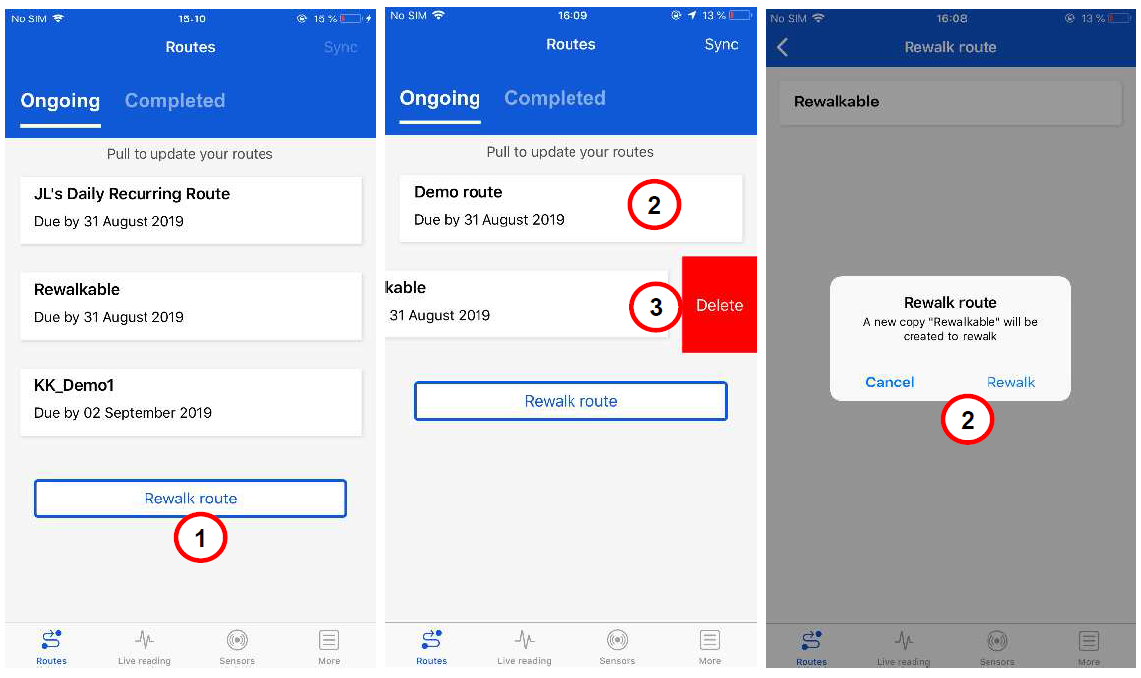
If a route is set to Rewalkable in Enlight Centre, copies of a route can be created within ProCollect. Clicking Rewalk route displays a list of rewalkable routes.
Rewalkable routes created from ProCollect can also be deleted.
- Tap the Rewalk route button to display rewalkable routes.
- Create a new copy of a rewalkable route by selecting a route in the list and tap Rewalk.
- Delete a copy of a rewalkable route route by selecting the Delete option.
Rewalkable route
Comments
0 comments
Article is closed for comments.