
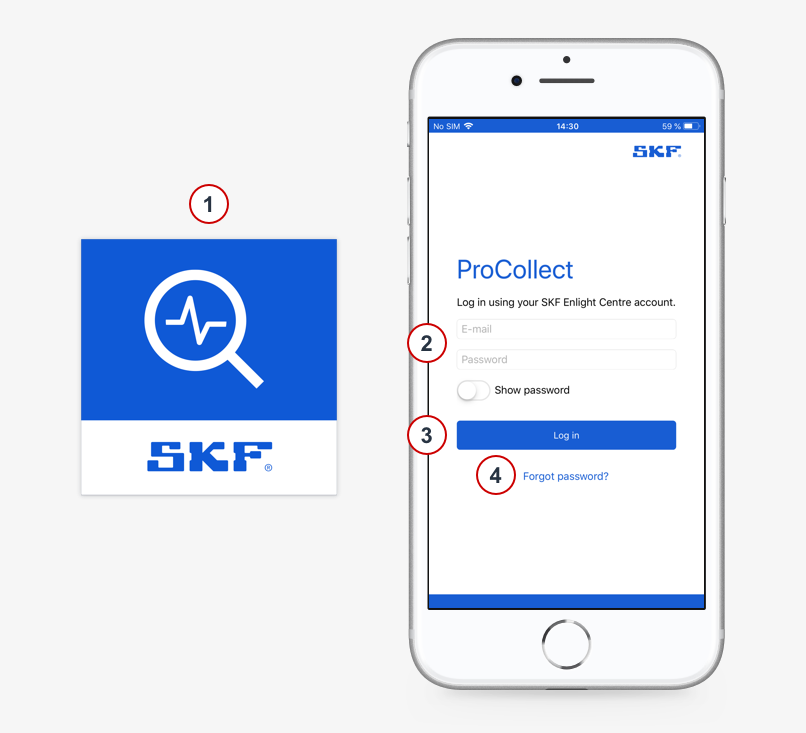
- Tap the ProCollect icon to launch the login screen.
- Log in using your SKF Enlight Centre account and password.
- Press Log In.
- Did you forget your password?
Press ”Forgot your password?” to reset your password. You will receive an e-mail if there is an account associated with the address you entered.
Note: Before logging in, an Enlight Centre account must be created.
The user account is set up by your local sales representative.
Log in to ProCollect
Comments
0 comments
Article is closed for comments.